Build GateNew
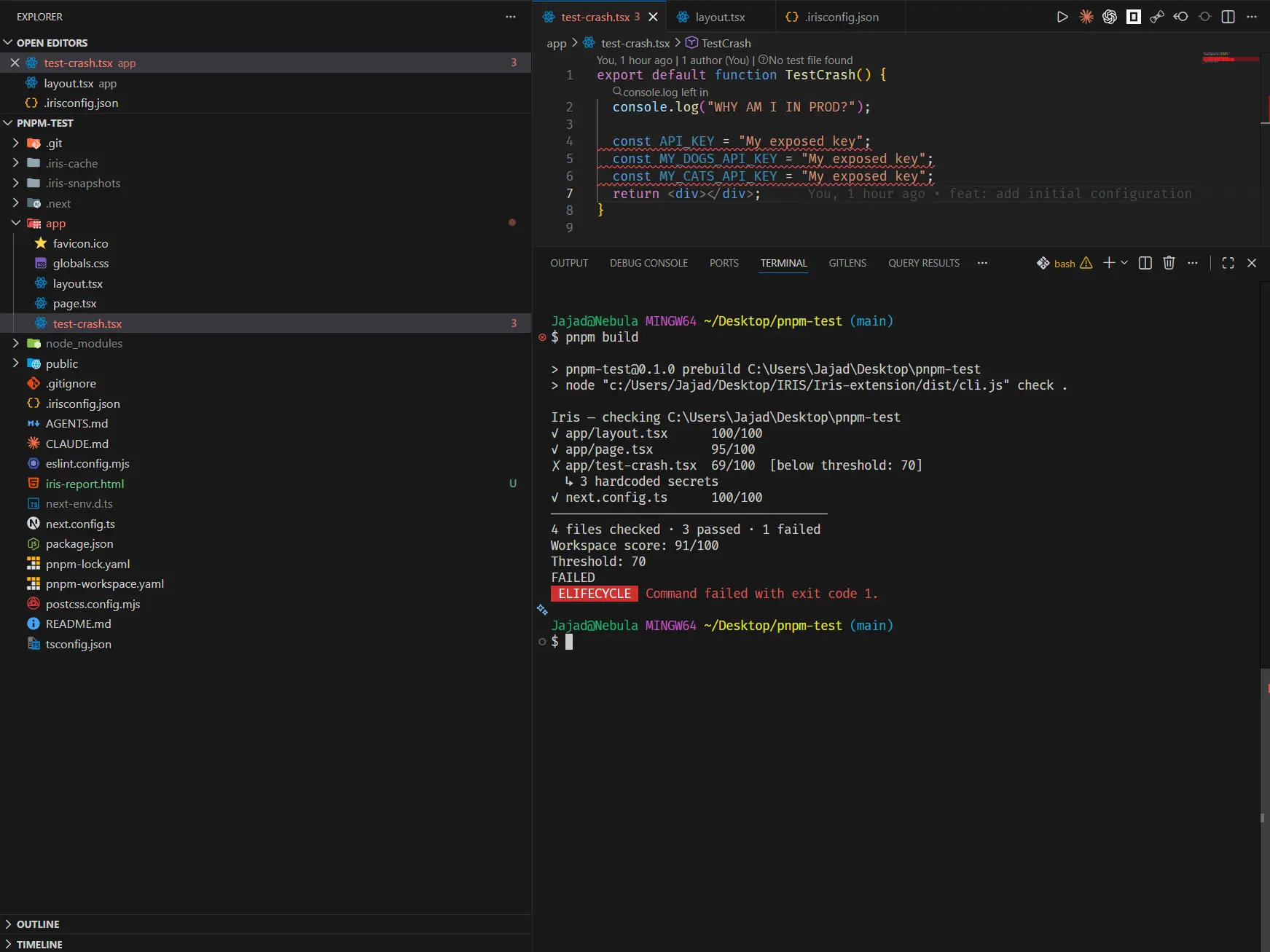
Install a build hook from the command palette and every pnpm build, npm run build, or make build will run an Iris health check before the compiler starts. Builds where any file falls below your threshold are blocked before compilation begins.
Installing
Run Iris: Install Build Hook from the command palette. Iris detects your project type and writes the hook automatically — no manual edits required.
What the hook does on build
- Detects the project type —
package.jsonfor Node,go.modfor Go,pyproject.toml/requirements.txtfor Python - Node: appends an Iris
prebuildentry topackage.json— chains safely before any existing prebuild command - Go / Python: writes an
iris-checkMakefile target and wires it as a prerequisite of thebuildoralltarget - If any file falls below
minHealthScore, the build exits with code 1 and the offending files are listed - Exits cleanly if all files pass — the build proceeds normally
Configuring the threshold
Set "minHealthScore": 80 (0-100) in your .irisconfig.json. Default is 70 if the key is absent.
prebuild script. Uninstalling removes only the Iris entry — your original command is preserved.Output
Each file is scored and printed inline. Files below the threshold are marked with ✗ and the primary finding is shown beneath them. The build fails after all files are checked — the full list is always shown before exit.
Uninstalling
Run Iris: Uninstall Build Hook from the command palette. Iris removes only its own entry. For Node projects, if no other prebuild commands remain, the prebuild key is deleted entirely.