Git HookNew
Install a pre-push hook from the command palette and every git push will automatically run Iris against your workspace. Pushes where any file falls below your health threshold are blocked before they leave your machine.
Installing
Run Iris: Install Git Hook from the command palette. The hook is written to .git/hooks/pre-push and made executable. On first activation in a git repo, Iris offers to install automatically — dismiss is stored per-workspace so you won't be prompted again.
What the hook does on push
- Resolves workspace root via
git rev-parse --show-toplevel - Runs
iris checkagainst your workspace using the bundled CLI - If any file score falls below
minHealthScore, the push is blocked and the offending files are listed - Exits cleanly if all files pass — the push proceeds normally
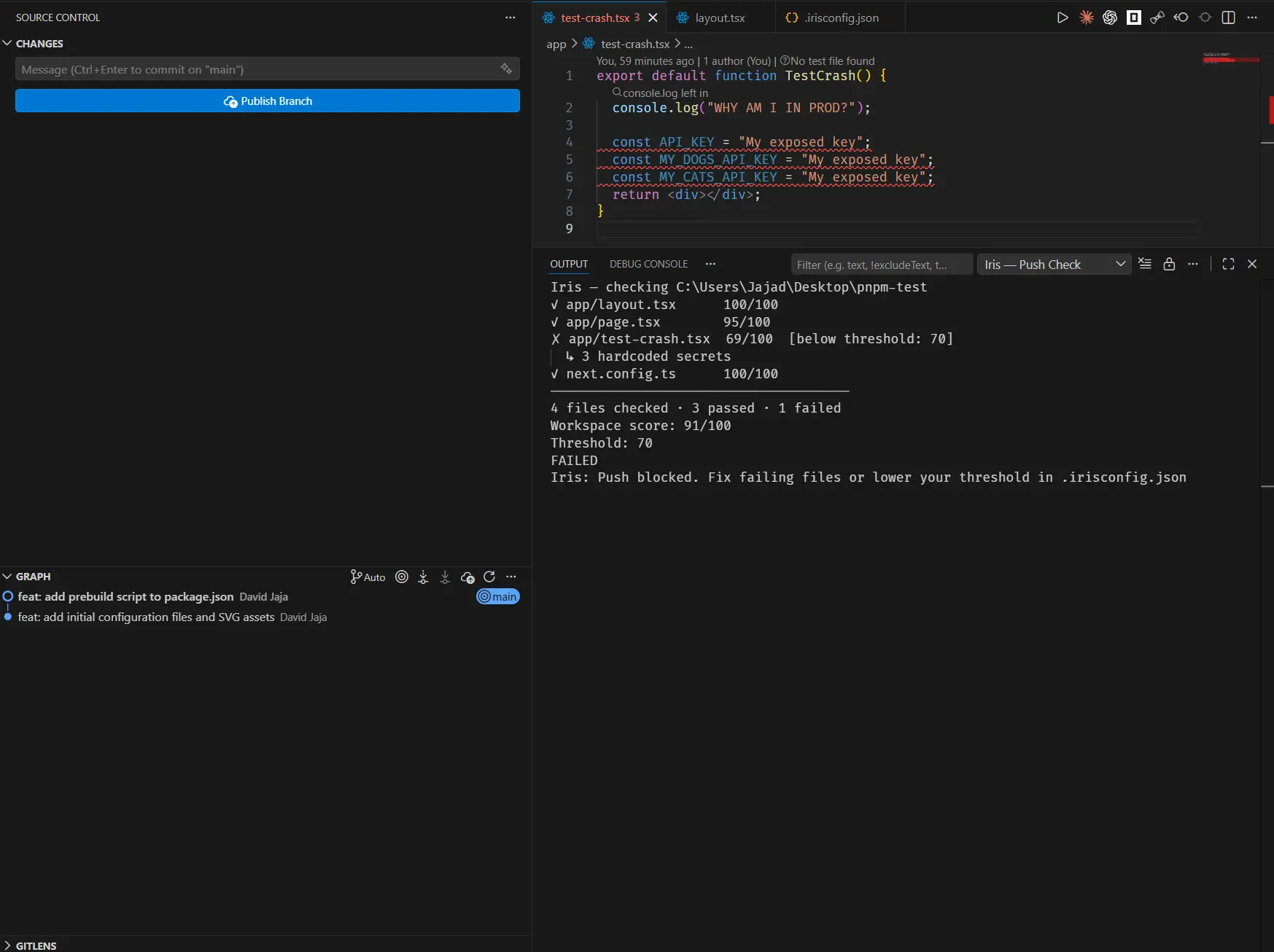
Configuring the threshold
Set "minHealthScore": 80 (0-100) in your .irisconfig.json. Default is 70 if the key is absent.
# >>> iris-hook-start <<< and # >>> iris-hook-end <<< markers, leaving anything already in the file untouched.Uninstalling
Run Iris: Uninstall Git Hook from the command palette. Iris removes only its own block between the markers. If removing the block leaves only a shebang line, the hook file is deleted entirely.