Inline DiagnosticsNew
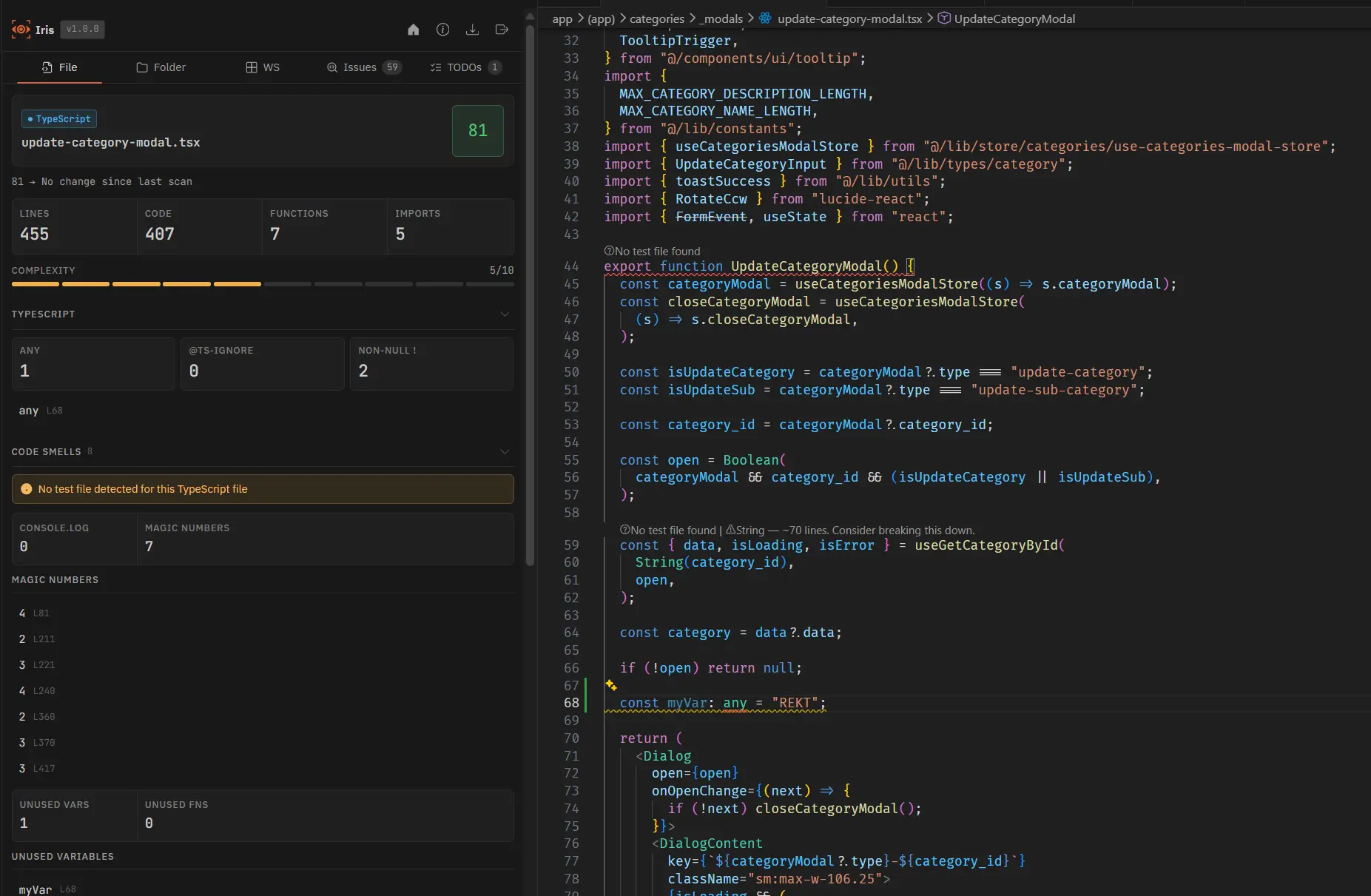
When inline diagnostics are enabled, every Iris finding surfaces as a squiggle in the editor and an entry in VS Code's Problems panel — no sidebar required. Severity follows your severityOverrides config.
Per-category toggles
Secrets and structural errors are on by default. Noisy categories like console logs, magic numbers, and TODOs default off to keep the Problems panel clean.
| Category | Default | What it shows |
|---|---|---|
hardcodedSecrets | true | Secrets findings |
errorWarnings | true | Error-severity structural warnings |
warningLevelWarnings | true | Warning/info structural warnings |
tsIgnore | true | @ts-ignore usage |
unusedFunctions | true | Unused function definitions |
anyUsage | true | TypeScript any usage |
consoleLogs | false | console.log statements |
magicNumbers | false | Magic number literals |
longParamLists | false | Oversized parameter lists |
unusedVars | false | Unused variables |
todos | false | TODO/FIXME/HACK comments |
Configuration
.irisconfig.json
{
  "enableInlineDiagnostics": true,
  "inlineDiagnostics": {
    "consoleLogs": true,
    "magicNumbers": false,
    "todos": false
  }
}
Set "enableInlineDiagnostics": false to disable all squiggles and Problems panel entries globally while keeping findings visible in the Iris sidebar.