Code Lens
Inline hints appear above functions that exceed the length threshold. Language-aware:
- JS/TS: hints next to every
@ts-ignoreandconsole.log - Go: hints next to
fmt.*/log.*debug print calls - Python: hints next to
print()calls
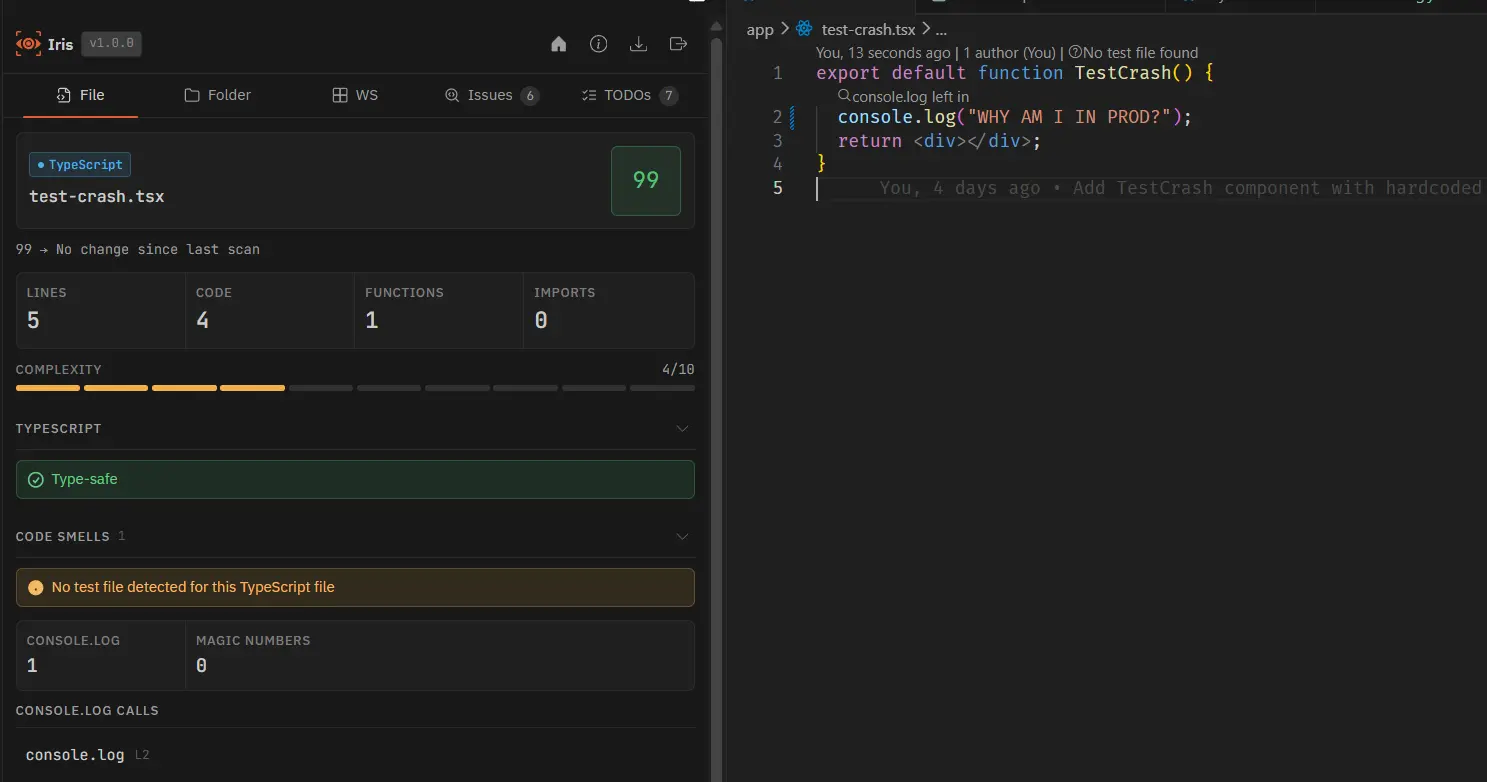
Disable Code Lens via VS Code setting: iris.enableCodeLens: false
Status Bar
Shows health score, line count, and function count for the active file. Turns warning/error colour based on health score and complexity threshold. Works for all supported languages.
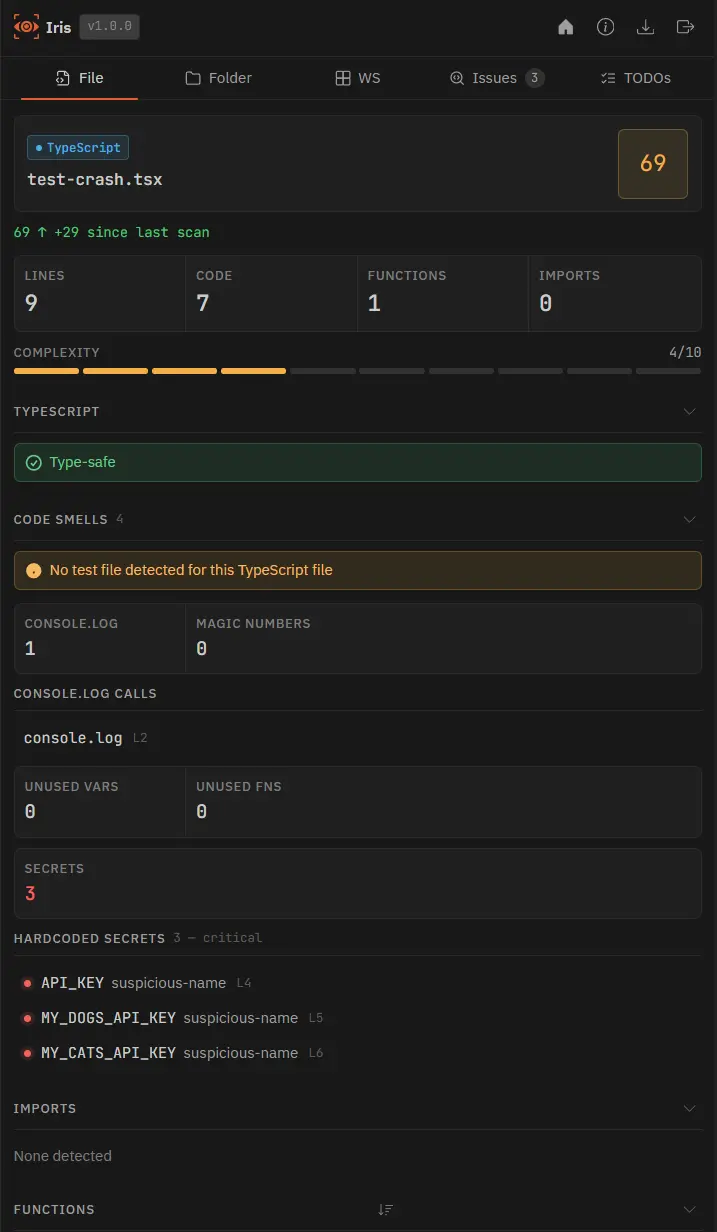
Disable via VS Code setting: iris.enableStatusBar: false
Detached Panel
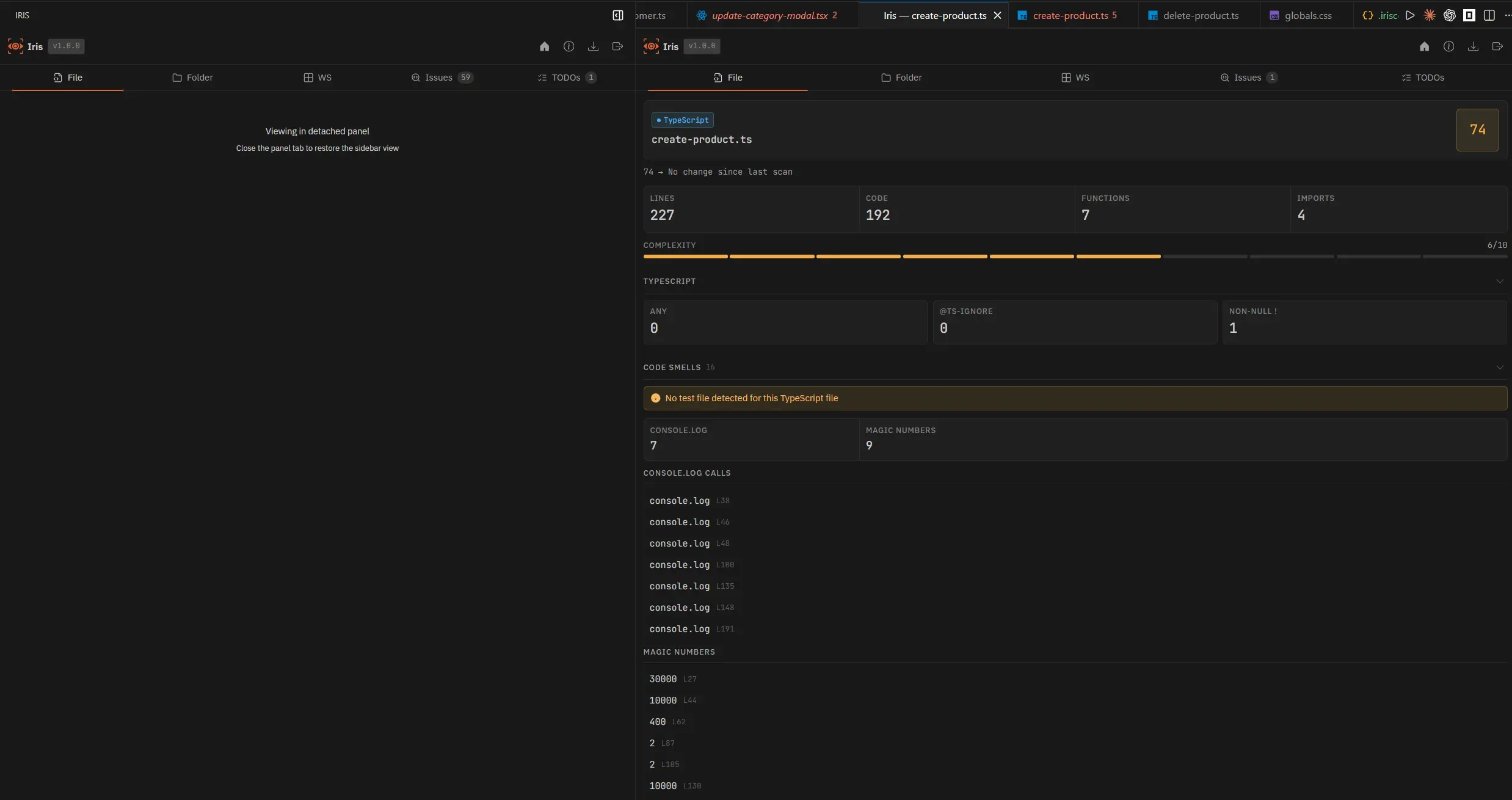
Pop Iris out of the narrow sidebar and into a full editor column beside your code. The panel shows the same analysis as the sidebar but with more space for the two-column layout.
How to open
Click the pop-out icon in the Iris sidebar title bar, or run Iris: Open in Panel from the command palette (Ctrl+Shift+P). Close it the same way to restore the sidebar.
What the panel does
- Auto-refreshes when you switch files or save, always showing the current file
- Switches to a two-column layout when wide enough (700px or more): file stats on the left, findings on the right; workspace ranked lists go side-by-side
- While the panel is open, the Iris sidebar shows a placeholder so data is never duplicated
- Supports jump-to-line for Pro findings while keeping the same wide layout as the sidebar
Note: The detached panel is available on all plans — no Pro subscription required.